
Purchase any Event and get
$10 Off
CODE: SAVE10
T&C applicable, please referFAQ
Validity : 16th Sep'26 to 26th Sep'26
Excel users often spend significant time cleaning data, preparing reports, and trying to make sense of large datasets.
In this session, you will explore how Claude can support the spreadsheet workflow both inside and outside Excel. We will look at practical tasks such as generating formulas, debugging errors, restructuring data, analysing trends, creating reporting ideas, and improving spreadsheet design.
The webinar will also demonstrate how Claude can work alongside core Excel features such as tables, PivotTables, Power Query, charts, and modern formulas.
The focus throughout is practical and realistic. Rather than treating AI as a replacement for Excel skills, the session shows how Claude can act as a knowledgeable assistant to improve productivity, reduce frustration, and accelerate learning.
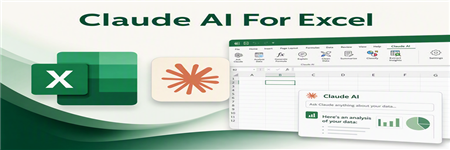
Claude can help Excel users work faster and more effectively by assisting with day-to-day Excel tasks, formulas, data analysis, and problem solving through natural language conversation.
In this session, you will see how Claude can support common Excel tasks. Rather than focusing on theory or AI hype, this webinar takes a practical approach to using Claude alongside Excel in realistic business scenarios.
The session is ideal for Excel users who want to understand where AI tools like Claude can genuinely improve productivity, where human review is still essential, and how Claude compares with tools such as Copilot in Excel.

Alan Murray is a Microsoft MVP and Excel trainer. He has been helping people in Excel for over 20 years. He loves training and the joy he gets from knowing he is making people’s working lives easier.
Alan runs his own blog - Computergaga (https://computergaga.com) and writes for multiple other websites. His YouTube channel has over 600 videos and over 40 million views.
He organizes a free monthly Excel meetup in London where anyone can come learn Excel, chat, and enjoy each other’s company.
Alan is the author of the best-selling ‘Advanced Excel Formulas’ and ‘Advanced Excel Success’ books.


